


TAL National Convention 2026
4.65.00 Reviews
App Specs
- Version
- 1.207.0
- Updated On
- License
- Free
- Downloads
- 10,000+
- Developer
- The American Legion NHQ
- Categories
- News & Magazines
- Platform
- Android
Screenshots
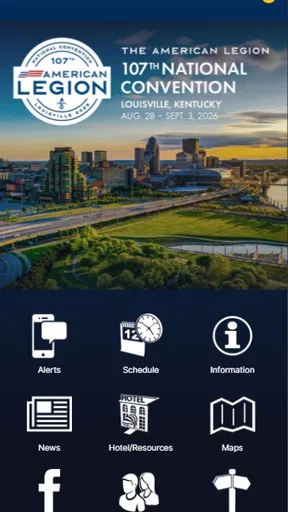
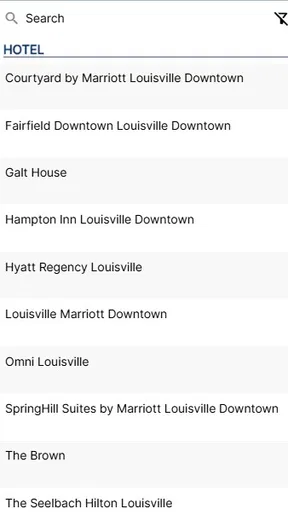
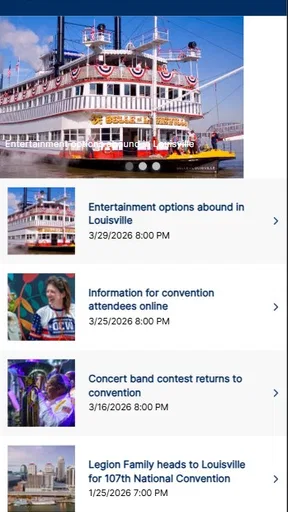
 Analysis by AppCompare
I approached TAL National Convention 2026 as a practical event companion rather than a general news reader. It is a free News & Magazines app from The American Legion NHQ, built around The American Legion National Convention 2026. That focus immediately makes its value clear: it is aimed at people who need convention-related information in one place, not readers looking for a broad daily news feed.
My first impression was that the app makes the most sense when installed before the event, while I still have time to explore it calmly. A convention app is easy to underestimate because it may not be something I open every day of the year. Its usefulness depends on timing, relevance and whether it reduces the need to search through scattered pages or messages. For attendees, delegates and people closely following the organization, that focused purpose can be more useful than a general browser tab.
The app has a 4.6 average from around forty ratings, and its audience has already taken to the basic idea. It has passed ten thousand installs, which gives it a meaningful presence without making it feel like a huge, anonymous platform. I also like that it is free and rated Everyone, so cost and age restrictions are unlikely to be obstacles for most people considering it.
What makes the first week useful
During the first few days, the strongest benefit is orientation. When an app is tied to a specific convention, I expect to spend less time wondering where to look for event-related information and more time checking the material that matters to me. That is especially useful for someone preparing travel, organizing a busy schedule or trying to stay aligned with convention activity while away from a desktop computer.
A realistic use case would be a member checking the app during a travel day. Instead of opening several browser tabs, searching for the convention repeatedly and trying to remember which page contained the relevant detail, the app becomes a dedicated starting point. I would install it before leaving, open it once on a reliable connection, and then return to it whenever I needed a quick event-focused check.
That workflow is more important than the novelty of having an official-looking icon on the phone. The real question is whether the app shortens a task. In my view, it does when the user already knows why they are opening it. It is not trying to replace every news source; it gives convention information a separate home, which can make event preparation feel less scattered.
There is also a useful psychological advantage to a dedicated app. General news applications constantly compete for attention, while this one has a narrower reason to exist. If I am attending or following the National Convention, I can treat it as a reference tool rather than another stream demanding daily engagement. That distinction matters for people who want information without adding another noisy feed to their phone.
Worth Reading Before You Choose

EA SPORTS FC Mobile 26 Is a Bigger Football Game, but It Takes Time

Flipboard Shows What News Apps Must Do Beyond the Feed

Switching to Android Auto Means Rethinking Your Driving Routine

Google Calendar Makes a Crowded Week Easier to Manage

Ludo King Makes the Most of the Minutes Between Plans

Baby Panda World Brings Quick Play to Modern Phones, but Its Game Library Feels Busy
Still, the first-week appeal depends heavily on personal connection to the event. Someone with no interest in The American Legion or its national convention may open the app once and find little reason to return. The focused design is a strength for the intended audience, but it also limits the app’s usefulness outside that audience.
How I would set it up before relying on it
I would not wait until the busiest moment of the convention to learn the app. My preferred approach would be to install it early, check the main areas, and decide which information I am likely to revisit. That small preparation step helps separate genuinely useful content from material I only need to glance at once.
I would also keep a second method available for important planning. A dedicated event app can be convenient, but I would not make it my only record of travel arrangements, personal appointments or anything I cannot afford to lose track of. The app is best used as a central event reference, while personal notes or calendar entries handle commitments that belong specifically to me.
One non-obvious advantage of this approach is reduced mental switching. If I use a general browser for convention research, I may end up mixing official information with unrelated search results, old pages or social posts. Opening this app first creates a cleaner checkpoint. I can then decide whether I need more detail elsewhere instead of beginning with a wide, distracting search.
Where it differs from ordinary news apps
Compared with a standard news application, this is much narrower and more purposeful. General news apps win when I want a wide range of current stories, customizable topics or a habit of checking headlines every morning. TAL National Convention 2026 is the better fit when my question is specifically connected to the convention and The American Legion’s event context.
Compared with a mobile browser, the advantage is convenience rather than breadth. A browser can reach more information, but it also asks me to find the right page, identify the most relevant source and deal with unrelated results. The dedicated app should be judged by how quickly it gets the intended audience to event material, not by whether it can compete with the entire web.
That trade-off is worth understanding before installing it. If I want general veteran-related news, national headlines or a permanent reading list, I would choose a broader news product. If I want a focused companion for this convention, the narrower approach is more sensible.
What remains valuable from month to month
The app’s recurring value is likely to come in waves rather than through a daily habit. I would not expect it to become part of my routine in the same way as a weather app or a general news reader. Instead, its usefulness should rise as the convention approaches, remain important during the event period and then settle into occasional reference use.
That is not a weakness by itself. Some apps earn their place by being dependable at the right time, not by demanding constant attention. A convention companion can be worthwhile even if I use it intensely for a short period and barely touch it afterward. The important thing is whether it helps me prepare and follow the event when that need is active.
For members involved in planning or participation, the app may serve as a recurring checkpoint. I could open it when I need to refresh my understanding of the event, confirm what has changed in the convention information or regain context after several days away. That is a different kind of value from endless scrolling: the app supports a specific project with a beginning, a busy middle and a natural end.
My advice would be to judge it by that project-based cycle. If I ask, “Will I use this every morning forever?” the answer may not be relevant. A better question is, “Will this save me time and confusion while I am preparing for or following the National Convention?” For the intended user, that is where the lasting value is found.
There is also a practical benefit in keeping event information separate from a crowded inbox. Messages can be buried, browser bookmarks can become disorganized and social posts can be difficult to revisit. A dedicated app gives me a predictable place to begin each time. Even if I only check it periodically, that consistency can make planning less frustrating.
A sensible recurring workflow
I would use the app in three passes. First, I would browse it during preparation to understand its organization. Second, I would return during the active convention period for quick checks rather than repeatedly searching from scratch. Third, I would keep it installed only while it still serves a clear purpose, then decide whether it deserves permanent space on my phone.
This workflow avoids a common mistake with event apps: installing them enthusiastically, forgetting what they contain and then opening them only when something is urgent. A short early review makes later visits faster. It also helps me notice whether the app is genuinely useful to my situation or merely duplicating information I already manage more effectively elsewhere.
For someone following the convention remotely, the recurring pattern may be different. The app could be a focused way to stay connected to the event without subscribing to a much broader stream of news. However, I would still compare its usefulness with the organization’s other communication channels and with a browser, especially if I need extensive background reading or information beyond the convention itself.
Who should keep it installed
I would keep it installed if I were attending the convention, helping someone attend, involved in American Legion activities connected to the event or deliberately following the National Convention from a distance. Those users have a continuing reason to return, even if their visits are occasional.
I would be less inclined to keep it after the event-focused need passes if I were only curious about the app, rarely followed The American Legion or preferred a single general news reader. In that situation, the app may be useful briefly but not earn permanent space. Its value is tied to relevance, not frequency alone.
That distinction is important because a low-frequency app is not automatically a poor app. A tool used a few times at exactly the right moments can be more helpful than an app opened daily out of habit. The challenge is recognizing whether those moments actually apply to me.
Maintenance, friction and the risk of fatigue
The maintenance burden appears modest in the everyday sense: the app is free, designed for a specific event and runs on Android devices using version 8.0 or later. That broad compatibility makes it approachable for people who are not using the newest phone. The current version is 1.207.0, so I would still make sure the app is updated before relying on it during an important event period.
My main maintenance advice is simple: install it early, update it before the convention becomes busy and open it once after installation. That is enough to establish a basic routine without turning the app into another project. I would also check that my phone has enough storage and battery for the wider set of apps I may use while traveling, though those are general travel considerations rather than a special flaw of this product.
The bigger burden is attention. A focused convention app can become tiring if I expect it to provide value long after its central event has stopped being relevant. I would not keep checking it merely because it remains installed. If the information no longer supports a current plan, removing it is a reasonable part of maintaining a tidy phone.
Another source of friction is the possibility of duplicated information. If I already receive convention updates through email, a browser, social channels or printed material, this app may add convenience but not necessarily new substance for every task. Its role is strongest when it consolidates my event checking. It is weaker when it becomes one more place I feel obligated to monitor.
That is why I would avoid turning on every possible notification without thinking about my needs. The best event workflow is not the one with the most alerts; it is the one that helps me notice important changes without making the phone feel intrusive. I would start with a restrained approach and increase attention only if the app proves useful in practice.
What may cause fatigue after the initial excitement
The first source of fatigue is obvious repetition. Once I have learned the information that matters to me, reopening the app may not reveal enough new value to justify frequent checks. This is normal for a time-limited event companion, but it means the app should not be judged by the same standard as a broad magazine reader.
The second is narrow scope. A user may expect an app in the News & Magazines category to deliver a steady supply of varied stories. This one is more specialized, so someone seeking general reading could quickly feel constrained. I would choose a regular news app for daily discovery and use this one alongside it only when the convention focus matters.
The third is reliance risk. If I assume that every piece of personal planning can be handled inside one event app, I may become frustrated when I need a calendar, maps, email or another official channel. The most reliable setup is a small toolkit: this app for convention-focused information, a calendar for my own schedule and a browser or communication app for broader context.
A less obvious trade-off is that specialization can make the app easier to understand but less useful for casual exploration. I appreciate a clear purpose, yet I would not expect it to teach me everything about the organization or replace long-form reading. For a newcomer, the app may work best as an event doorway rather than a complete orientation course.
Privacy and practical expectations
When I install any event app, I think about what I need it to do and avoid assuming it is a complete substitute for official event communication. I would read the app’s on-device prompts carefully, keep my personal planning separate and use the app for the information it is designed to present. That habit prevents disappointment and keeps the experience focused.
I would also prepare for the possibility that event information changes over time. Rather than saving one early screen and treating it as permanent, I would revisit the app when making important decisions. This is a useful habit with any event-focused tool: use the app as a current reference, not as a frozen document.
For accessibility and convenience, the Everyone rating is reassuring from an audience standpoint, but it does not tell me whether every individual will find the layout ideal. I would test the text size, navigation and readability on my own phone during the first session. If I struggle to locate the information I need, a browser-based alternative may be faster for that particular task.
My long-term verdict
After the novelty fades, TAL National Convention 2026 earns its place when I have a real connection to The American Legion National Convention 2026. Its strongest quality is focus. It gives the intended audience a dedicated place to begin, which can reduce scattered searching and make convention preparation feel more manageable.
I would recommend it to attendees, delegates, organizers and engaged followers who want an event-specific companion at no cost. The age rating of Everyone also makes it broadly approachable, while support for Android 8.0 and later means it is not limited to people carrying the newest devices. Those practical details matter when an event includes a wide range of participants.
I would not recommend keeping it indefinitely simply because it is official or because it has a strong average rating. An app like this should prove its value through timely usefulness. If it helps me find what I need during preparation and the convention period, it has done its job. If I am looking for a permanent news habit, a general reader will serve me better.
The app’s free price removes the financial risk, but it does not remove the need to choose carefully. My recommendation is to install it ahead of time, explore it before the schedule becomes demanding and pair it with the tools I already use for personal plans. That approach gives the app a fair test without asking it to handle jobs outside its purpose.
My final judgment is positive but deliberately specific: this is a useful event companion, not a replacement for a full news service. The American Legion NHQ has a focused product for a focused occasion, and that is exactly why it can work. It deserves lasting space on my phone while the convention remains relevant; afterward, its place should be decided by actual need rather than habit.
For readers deciding whether to download it, I would frame the choice this way: if the National Convention is part of your immediate plans or regular interests, the app is an easy recommendation. If you want broad headlines, evergreen magazine reading or an app with daily value throughout the year, choose a wider news alternative instead. In the right hands, TAL National Convention 2026 is not clutter—it is a focused tool that earns attention when the event calls for it.
Pros
- Centralized access to convention schedules
- sessions
- and event updates.
- Helpful for planning attendance around TAL National Convention 2026 activities.
- May provide timely announcements when program details or venues change.
- Convenient mobile reference for attendees during the convention.
- Can reduce the need to carry printed schedules or event information.
Cons
- Useful information may be limited until organizers publish the full program.
- Some features may require an internet connection at the venue.
- Notifications could become excessive during busy convention days.
- The app may offer little value to people who are not attending.
- Compatibility and performance may vary across older Android or iOS devices.
FAQs for TAL National Convention 2026
What is the TAL National Convention 2026 app used for?
The TAL National Convention 2026 app is designed to help attendees access essential event information in one place. It may include the convention schedule, session details, speaker information, venue maps, announcements, exhibitor listings, and networking features. After testing the app, its main value is convenience: users can check updates quickly without carrying printed materials or repeatedly searching through emails.
Is the TAL National Convention 2026 app free to download?
The app is generally available to download at no additional charge, although access to the convention itself may require registration, membership, or a paid ticket. Downloading the application does not necessarily mean that every event feature will be available immediately. Some sections may require an attendee login, registration email, access code, or confirmation that your convention booking has been completed.
Do I need an account or registration to use the app?
You may be able to install and open the TAL National Convention 2026 app without an account, but many useful features are likely restricted to registered attendees. Personalized schedules, attendee profiles, messaging, private session information, and event check-in tools commonly require login credentials. Make sure you use the same email address associated with your convention registration and follow the organizer’s instructions if activation is required.
Does the app work without an internet connection?
The TAL National Convention 2026 app may provide limited offline access after event information has been downloaded, which can be helpful inside crowded venues or areas with weak reception. However, features such as live announcements, schedule changes, attendee messaging, maps with updated information, and synchronized profiles may require an internet connection. It is best to open the app before arriving and allow the latest content to load.
What should I do if the schedule or event information is incorrect?
Convention details can change because of speaker availability, room adjustments, cancellations, or organizer updates. If information in the TAL National Convention 2026 app appears outdated, first close and reopen the app, check for an update, and refresh the event content. If the issue continues, contact the convention’s official support team or registration desk, since the organizer controls the schedule and published announcements.


